



Introduction
I recently acquired some ancient 3COM 4210 26-port switches that I wanted to set up, but I had forgotten the password, thus I was unable to do so; here is the procedure for resetting them.
Operation process
1. To connect to the 3COM switch, I utilized a USB to console port cable module and connected it to the Windows system, but you may also use an RJ45 to DB9 Cisco Console Management cable. Connect the USB/DB9 port to the PC and connect the other end of the console cable to the serial RJ45 console port on the switch.
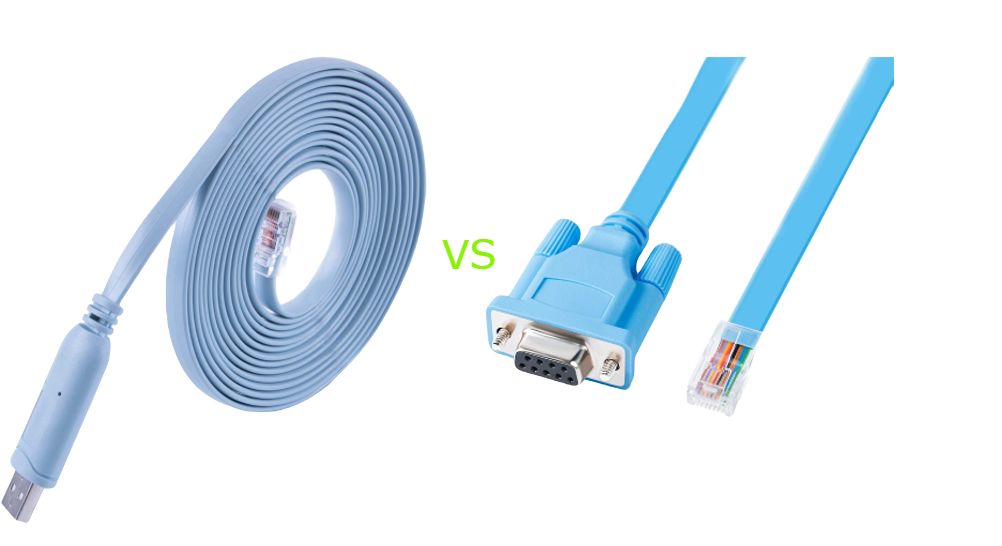
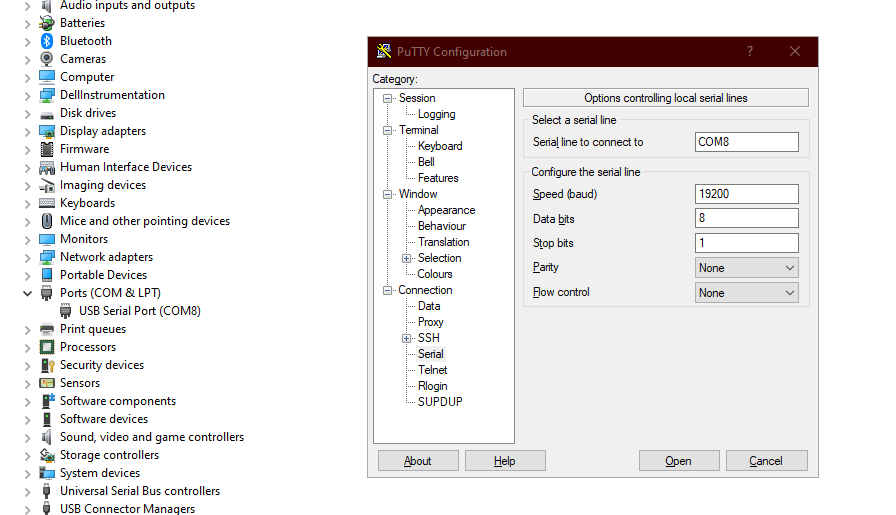
2. When the cable is connected to the PC, it should appear in "Device Manager" under Ports ( mine was COM8), launch the putty program and enter the following information as shown (You must do this; otherwise, the display will be incorrect if you leave it at the default 9600 value):
- 19,200 baud
- 8 data bits
- 1 stop bit
- no parity
- no hardware flow control
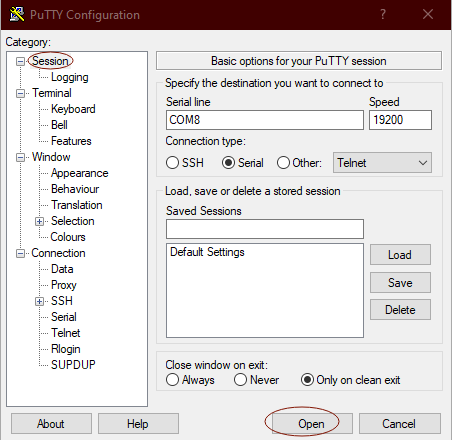
3. Go back to the 'Session' and select the serial port to launch it:
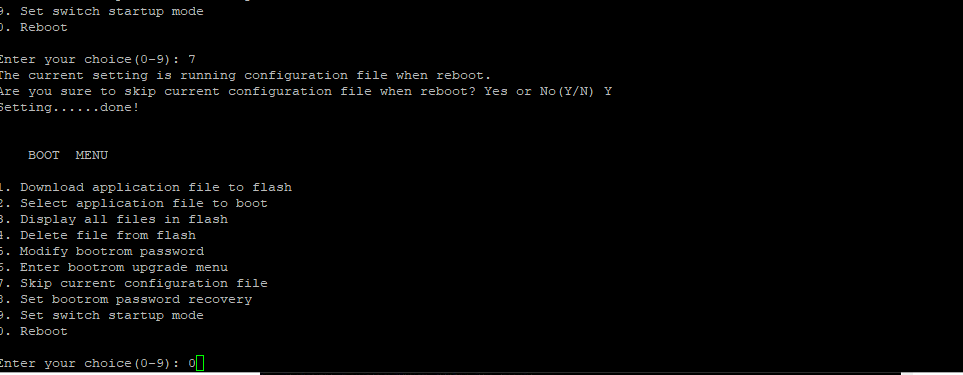
4. Power on the 3COM switch and wait for the "Starting….." text to appear, when "Press Ctrl-B to enter Extended Boot menu…" appears, press "CTRL+B", when asked for the password, just push enter, Press "7" to "Skip current system configuration":
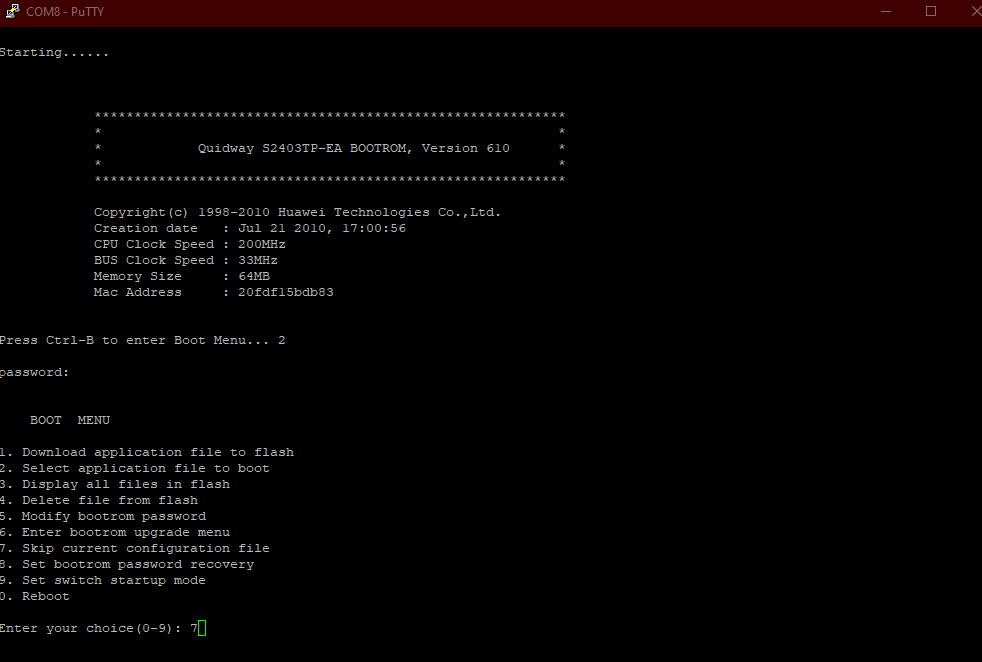
5. And then enter "Y" to confirm: Are you sure you want to skip current configuration file when reboot? Yes or No (Y/N): Y
6. Now Press "0" to reboot the switch:
7. After rebooting you can just push enter to skip the password, otherwise the default credential reference should be:
- Username: admin Password: <blank>
- Username: manager Password: manager
- Username: monitor Password: monitor
8. Enter "save" then "Y" and press Enter; when prompted for a file name, leave it blank and press Enter to overwrite the existing configuration with factory settings. You can also run the delete 3comoscfg.cfg command. For some other models of the switch ( such as 3COM 2928 SFP) you can type "initialize" to delete the configuration file and reboot the switch.
9. Type the command "reboot" to reboot the switch, using the above default credentials should work.
Conclusion:
Remember to update your login credentials after the reset to ensure continued security. Some tips about 3COM switches, many of the 3COM switch commands are similar to the Cisco switch, and something you should know about is instead of using no command to undo everything you use an undo command to undo. Also when you type the wrong command instead of backspace you will have to press shift + backspace to delete, In addition, the system-view command is equivalent to the configure terminal command in the Cisco switch, last but not least, display current-configuration command is similar to show running-config command in Cisco; and the quit or return command is to exit..... It should also be noted that different variants of the 3COM switch may have different commands. So happy configuring!
Comments NOTHING